
Menu
Services
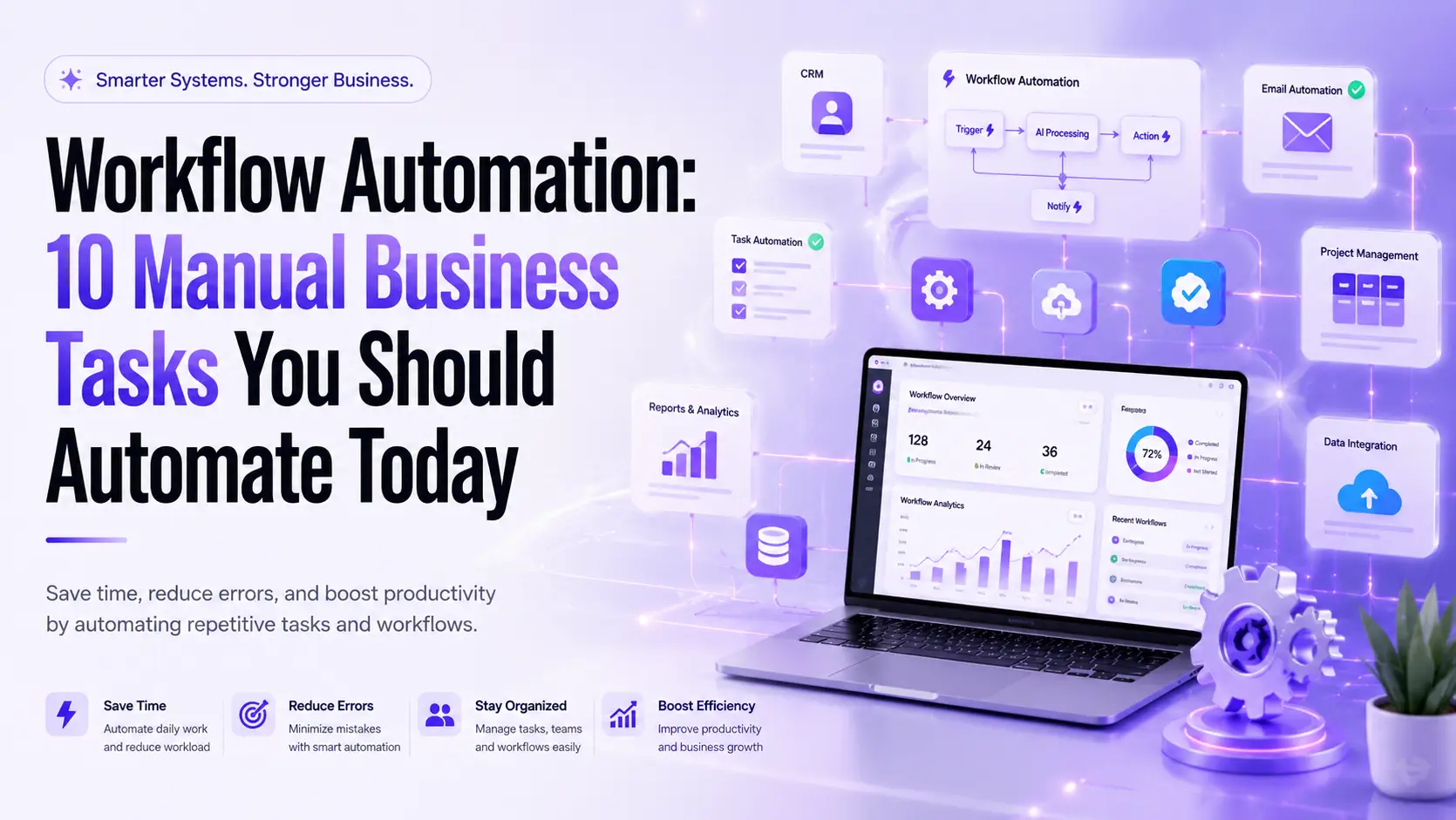
Workflow Automation: 10 Manual Business Tasks You Should Automate Today
Running a business means making hundreds of decisions every day. However, many teams still spend hours on routine work that adds little value. Sending follow-up emails, assigning tasks, updating spreadsheets, and approving requests may seem small, yet these repetitive tasks consume valuable time. That is where Workflow Automation changes the way your business operates.
Instead of relying on manual effort, modern companies use Business Process Automation to simplify everyday operations. Automated systems reduce mistakes, improve collaboration, and help employees focus on meaningful work. Whether you run a startup, a growing agency, or a large enterprise, Workflow Automation can help you save time, improve customer experiences, and increase long-term growth.
What Is Workflow Automation?
Imagine your business as a busy highway. When every vehicle follows clear traffic signals, everything moves smoothly. Workflow Automation works in the same way. It creates a sequence of actions that happen automatically whenever a specific event occurs. Instead of asking someone to complete every step manually, software handles the routine work while your team focuses on solving bigger problems.
This approach is much more than simple automation. It combines Workflow Management, Business Automation, and Process Optimization into one connected system. For example, when a customer fills out a contact form, the system can assign the lead, notify the sales team, create a CRM record, and send a welcome email without anyone touching a keyboard. Modern businesses also enhance these processes with AI Workflow Automation, making decisions smarter and faster.
Workflow Automation vs. Business Process Automation
Many people think these terms mean the same thing. They are closely related, but they serve different purposes. Workflow Automation focuses on automating individual sequences of tasks. Business Process Automation improves entire business operations by connecting multiple workflows across departments.
Workflow Automation | Business Process Automation |
Automates daily tasks | Automates complete business processes |
Focuses on one workflow | Connects multiple workflows |
Faster implementation | Organization-wide improvement |
Ideal for teams | Ideal for entire businesses |
Why Manual Business Tasks Are Holding Your Business Back
Every manual task costs more than time. It also creates delays, increases the chance of mistakes, and slows customer responses. When employees spend hours copying information between systems, productivity drops and frustration grows. These hidden inefficiencies often prevent businesses from scaling successfully.
Companies that embrace Workflow Automation Software build stronger operations because they eliminate repetitive work before it becomes a problem. Better Operational Efficiency allows employees to spend more time serving customers, developing products, and creating new opportunities instead of managing paperwork.
Signs Your Business Needs Workflow Automation
If your team frequently updates spreadsheets by hand, forgets follow-up emails, struggles with approvals, or enters the same information into multiple systems, these are clear warning signs. Businesses experiencing these challenges usually benefit from Workflow Integration, Automation Triggers, and intelligent Task Automation that keep work moving without constant supervision.
10 Manual Business Tasks You Should Automate Today
1. Lead Capture and Assignment
Every new lead deserves immediate attention. Unfortunately, many businesses still copy contact details manually into their CRM before assigning them to a salesperson. This process wastes valuable time and increases the risk of losing potential customers.
With Workflow Automation, every inquiry can automatically create a customer profile, assign the right sales representative, notify the team, and schedule follow-up reminders. Faster responses often translate into higher conversion rates and a better customer experience.
2. Customer Follow-Up Emails
Following up consistently builds trust. Yet many businesses forget to send timely emails because employees become busy with other priorities. Missing even one follow-up can mean losing a valuable customer.
Using Workflow Automation Tools, businesses can schedule personalized emails based on customer actions. For example, after someone downloads a guide, the system can automatically send educational emails over several days. This creates a consistent customer journey while reducing manual effort.
3. Client Onboarding
First impressions matter. A slow onboarding process creates confusion and unnecessary delays. New clients often wait for welcome emails, contracts, login details, or project updates because someone has to complete each step manually.
An automated onboarding workflow solves this challenge. As soon as a contract is signed, the system sends welcome messages, creates project folders, assigns internal tasks, and schedules kickoff meetings automatically. Strong Workflow Analytics also help managers monitor every onboarding stage and identify delays before they affect the client experience.
4. Project and Task Management
Managing projects manually becomes difficult as teams grow. Assigning work through chat messages or spreadsheets often leads to missed deadlines and unclear responsibilities. Important updates disappear, and projects lose momentum.
Modern Workflow Management systems use Automation Triggers to assign work immediately after one task finishes. Team members receive instant notifications, project timelines update automatically, and managers always know what needs attention. This creates greater transparency and supports better decision-making across every department.
5. Invoice Generation and Payment Reminders
Finance teams often spend hours creating invoices, checking payment status, and reminding customers about overdue bills. These repetitive administrative tasks reduce productivity and increase the possibility of human error.
With Business Process Management (BPM) supported by automation, invoices generate automatically after project completion. Payment reminders follow predefined schedules, while accounting records update in real time. This not only improves cash flow but also allows finance professionals to focus on planning rather than paperwork.
“Automation does not replace people. It removes repetitive work so people can focus on creativity, strategy, and customer relationships.”
6. Employee Onboarding
Hiring the right people is only the beginning. Giving every new employee a smooth start is equally important. When onboarding is done manually, HR teams spend hours sending emails, creating accounts, sharing documents, assigning managers, and scheduling training.
With workflow automation, these tasks start automatically as soon as a candidate accepts the offer. The system creates user accounts, sends welcome emails, shares training materials, assigns equipment, and tracks onboarding progress. This saves time for HR and gives every new employee a consistent experience from day one.
7. Marketing Campaign Automation
Running a marketing campaign involves many small tasks. Teams need to send emails, publish social media posts, track leads, and measure campaign performance. Managing everything manually often leads to delays and missed opportunities.
Workflow automation connects all your marketing tools together. When a campaign starts, emails are sent automatically, leads are updated in the CRM, social media posts are published on schedule, and reports are generated without manual work. This allows marketers to spend more time on strategy instead of repetitive tasks.
8. Sales Pipeline Updates
Sales teams should focus on talking to customers and closing deals, not updating spreadsheets or CRM records after every call.
Workflow automation keeps your sales pipeline updated automatically. It moves deals to the next stage, creates follow-up reminders, assigns leads to the right salesperson, and notifies managers whenever an important action happens. This helps sales teams respond faster and close more deals.
9. Approval Workflows
Many business processes slow down because approvals take too long. Requests often get lost in emails or chat messages, making it difficult to know who is responsible.
Workflow automation sends approval requests directly to the right person. Once approved, the next step begins automatically without anyone needing to follow up manually. This keeps projects moving and reduces unnecessary delays.
10. Reporting & Dashboard Updates
Good decisions depend on accurate data. Collecting reports manually from different systems takes time and increases the chance of mistakes.
Workflow automation gathers data from all connected platforms and updates dashboards automatically. Managers always have access to the latest information, making it easier to track performance and identify problems early.
How Workflow Automation Works
Every automated workflow follows a simple process.
First, something happens (called a trigger). Then the system performs one or more actions automatically.
For example, when someone fills out a contact form on your website, the workflow can instantly create a CRM record, assign the lead to a salesperson, send a confirmation email, and schedule a follow-up task.
Instead of switching between multiple apps, automation connects everything together so information flows smoothly from one system to another.
Benefits of Workflow Automation
Businesses that use workflow automation save time, reduce manual work, and improve overall productivity. Employees spend less time on repetitive tasks and more time on work that actually grows the business.
Some of the biggest benefits include:
- Saves time by automating repetitive work
- Reduces human errors
- Improves team collaboration
- Speeds up approvals and daily processes
- Gives real-time visibility into business operations
- Helps businesses scale without adding unnecessary manual work
Manual Process | Automated Workflow |
Slow task completion | Faster execution |
More manual work | Less manual work |
Higher chance of errors | Better accuracy |
Difficult to track progress | Real-time tracking |
Delayed approvals | Instant approval routing |
Workflow Automation Examples
Almost every business department can benefit from automation.
Marketing teams automate campaigns and lead nurturing.
HR teams automate employee onboarding.
Finance teams automate invoice approvals and payment reminders.
Customer support teams automatically assign tickets to the right agents.
Project managers automate task assignments, deadline reminders, and progress updates.
No matter the industry, automation helps teams work faster while reducing repetitive work.
Features to Look for in Workflow Automation Software
When choosing workflow automation software, look for a platform that is easy to use and can grow with your business.
Some important features include:
- Easy workflow builder
- Integration with your existing apps
- Real-time reporting
- Strong security
- Automation templates
- AI-powered automation
- Scalable workflows for future growth
The right platform should simplify your work, not make it more complicated.
Why Businesses Choose Streamaline
At Streamaline, we believe automation should make work easier—not more complex.
We help businesses identify repetitive tasks, build custom workflows, connect their business tools, and create systems that save time every day.
Whether you need Notion workspaces, business process automation, or complete workflow systems, we build solutions that are simple, scalable, and designed around the way your business works.
Frequently Asked Questions
What is workflow automation?
Workflow automation uses software to complete repetitive business tasks automatically with little or no manual effort. |
Which processes should I automate first?
Lead management, employee onboarding, approvals, reporting, invoicing, and customer follow-ups usually deliver the quickest results. |
Is workflow automation only for large companies?
No. Small and growing businesses can also save time and improve efficiency with automation. |
Does AI replace workflow automation?
No. AI makes automation smarter, but workflow automation is still the foundation of automated business processes. |
How do I choose the right automation platform?
Choose software that is easy to use, integrates with your existing tools, offers good reporting, and can scale as your business grows. |
Final Thoughts
Workflow automation is no longer just a productivity tool—it’s a smarter way to run your business. By automating repetitive tasks, your team can spend less time on manual work and more time on activities that create real value.
Start with one process, measure the results, and expand over time. With the right strategy and the right partner like Streamaline, you can build efficient systems that help your business grow faster and work smarter.